Tech Repair Website Kit
Five editable Elementor Free pages for laptop and computer repair businesses, with service layouts, a diagnostic detail page, companion theme and setup guides.
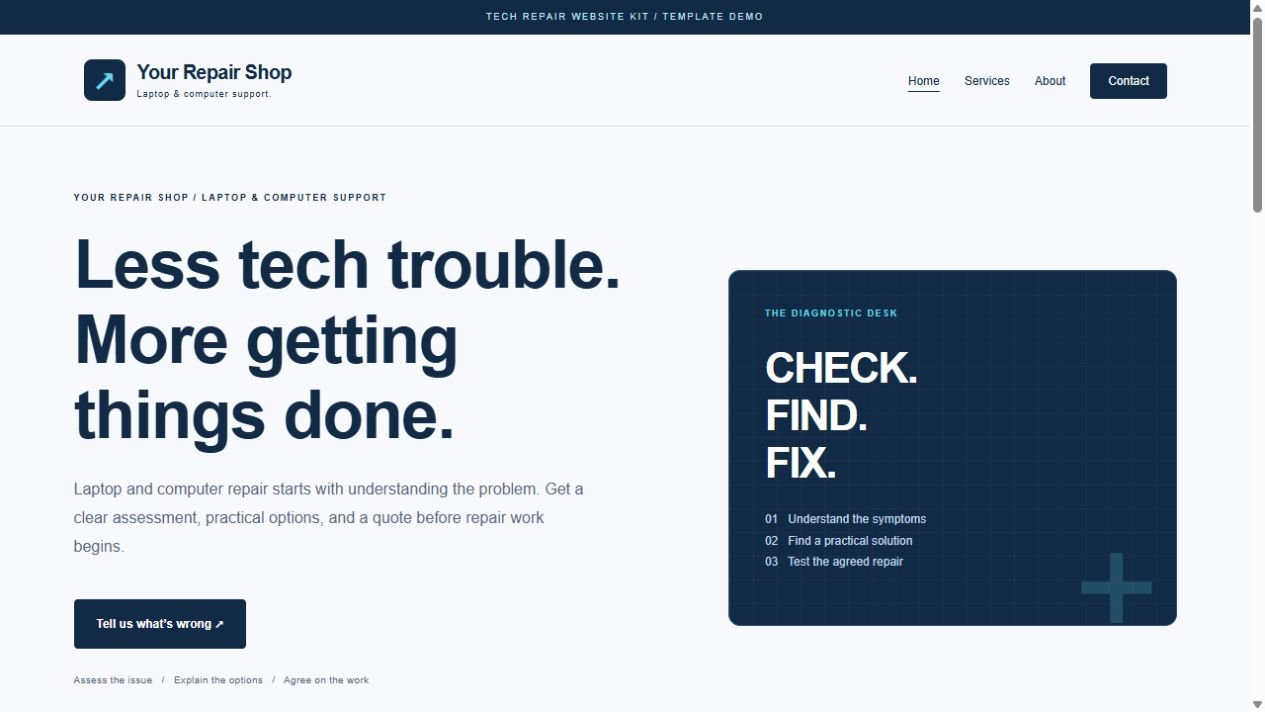
Tech Repair Website Kit from GabbysTech is a WordPress template kit for laptop and computer repair businesses that need clear service and assessment information. Review the included files, requirements and scope below to decide whether this digital product matches your workflow. The launch price shown on this page is in Philippine pesos.
Product guide
What Tech Repair Website Kit helps you do
Home, Services, Service Detail, About and Contact give a repair shop a consistent structure. Explain which devices you assess, what customers should bring and how an inquiry becomes an assessment. The sample Laptop Diagnostics page can be duplicated for other services. Replace every sample fee, shop detail and policy with information your own business can support.
Inside Tech Repair Website Kit v1.0.0
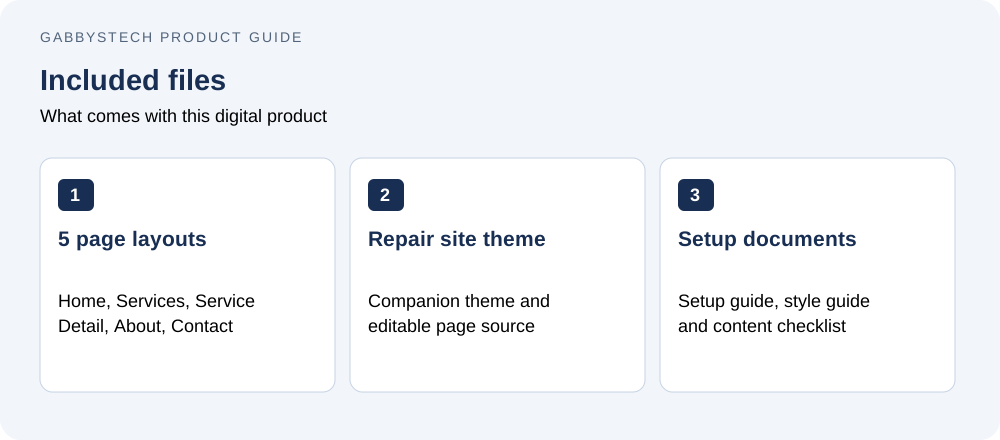
- Five native Elementor Free layouts: Home, Services, Service Detail, About and Contact.
- Installable GabbysTech Tech Repair theme with responsive header/footer and safe demo importer.
- Individual Elementor JSON files and full editable theme source.
- Original diagnostic-panel CSS artwork, system fonts and native widgets.
- Setup guide, style guide, content checklist and validation notes.
Built for a clearer first inquiry
Explain your services and assessment process, show a detailed Laptop Diagnostics example, and help customers describe their device issue. Duplicate the Service Detail layout for additional services. The Contact page uses a configurable email link; an inquiry is not an appointment or repair authorization.
Compatibility and installation
Requires self-hosted WordPress 6.8+, PHP 8.0+, Elementor Free and the included companion theme. Tested with WordPress 7.1.3, PHP 8.2.12 and Elementor Free 4.3.5. Elementor Pro is not required. Extract the outer ZIP, install the inner theme ZIP, activate Elementor Free, then open Appearance → Tech Repair setup. Follow START-HERE.html.
License and scope
GNU GPL v2 or later for original code, layouts, documentation and CSS artwork. Customize for your own or client sites under that license. Hosting, domain, installation, paid plugins, a form backend, appointment scheduling, payment collection and repair-ticket tracking are not included. Replace sample shop details and policies with your actual services, fees and terms. No automatic updater or ongoing support period is bundled. For purchase assistance contact admin@gabbystech.com.
Delivery
One protected downloadable ZIP after payment is confirmed. Contains the installable companion theme ZIP, five individual JSON templates, guides and full source.
Getting started with Tech Repair Website Kit
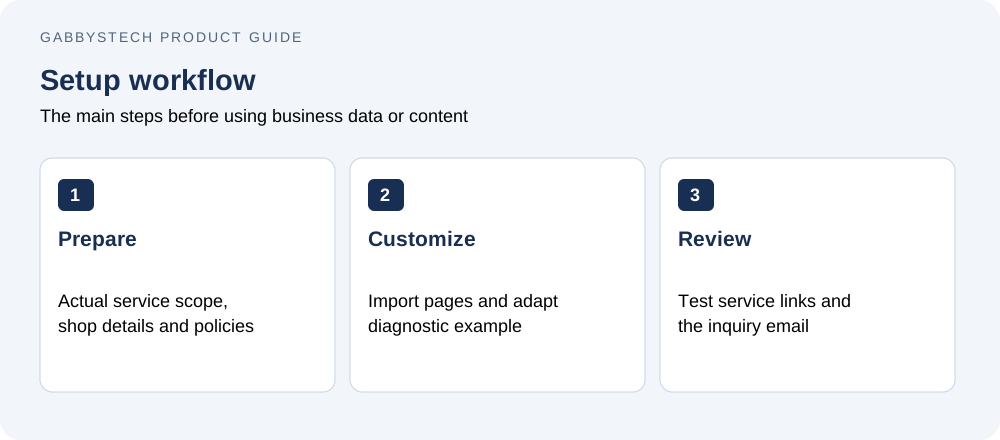
Prepare your actual service scope, opening hours and contact information. Install the included theme with Elementor Free and import the five layouts. Edit the diagnostic example and add more service pages as needed. Check service links, inquiry email and mobile navigation. A customer inquiry is not an appointment, repair authorization or payment, so explain your real booking process clearly.
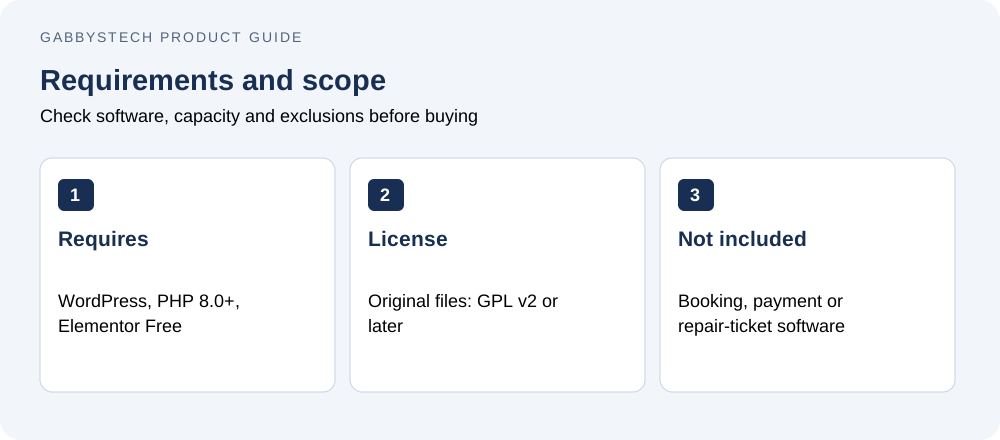
Before you buy Tech Repair Website Kit
Who is this product for?
Tech Repair Website Kit is intended for independent repair shops and technicians who need a service website rather than repair-ticket or appointment-management software. Check the detailed compatibility requirements before ordering. The price covers the listed digital files; it does not include a Microsoft license, WordPress hosting, a domain, installation or a custom implementation service.
How will I receive the files?
This is a digital download, with no physical shipping. WooCommerce makes the protected ZIP available after payment is confirmed. Use your account and order download details to access it, then extract the package and read the included guide before installing or editing files.
Can I replace the examples with my own information?
Yes. The editable files and guides explain the supported setup. Keep a clean original copy of Tech Repair Website Kit, then work in a separate copy or staging site. Replace all fictional or synthetic examples with your own information. Review calculations, contact links or page content before using the result for real business activity.
What should I check before relying on the result?
Confirm that the required software is available and that you understand the stated limits. Follow the supplied setup steps and compare a few representative results with your own records. A sample preview demonstrates layout and workflow; it does not provide your business policies, approved payroll rules, accounting treatment or guaranteed commercial outcomes.
Related tools and product help
Compare Tech Repair Website Kit with Quick Inquiry Forms or browse the full digital shop. For the underlying software, see the official software documentation. These resources help you check compatibility and decide which tool fits the work you need to do.
For a question about the files included in Tech Repair Website Kit, contact admin@gabbystech.com with the product name and a clear description of the issue. Review the package license for permitted use. Keep your original download and a copy of the guide so your team can repeat the setup consistently.