
SEO Checklist: 9 Essential Checks for a Business Website
An SEO checklist can help you turn a vague concern about a business website into a practical review. Start with what a visitor needs, record evidence and choose changes you can verify. This guide covers nine checks for a service page, plus a worked example and a worksheet you can adapt.
Use the process to organise a first review, not to promise rankings or diagnose every technical problem. Some tasks require a developer, an account owner or additional investigation. Keep those limits visible while you decide what to improve next.
In this guide
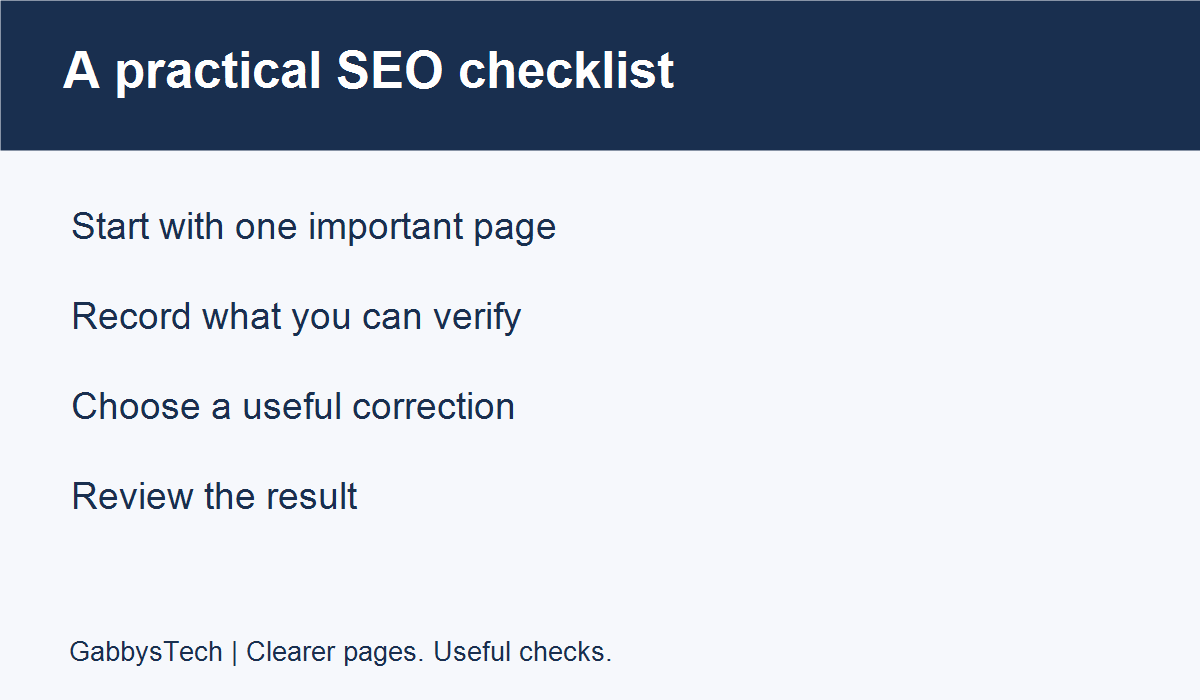
1. Start your SEO checklist with one important page
An SEO checklist is most useful when it leads to a clear decision about a real page. Choose one service page that matters to your business and record its address. Write down whom it serves, the question it should answer and the action available afterward. This gives the review a purpose before you open any scoring tool. A long list of warnings is difficult to prioritise if nobody has agreed what the page is meant to achieve.
Keep the first review narrow enough to finish. You might review the page that explains your main service, rather than every article, product and image in the website. Record the date and the version of the page you are checking. If someone is already updating it, agree how your notes will be coordinated so two people do not make conflicting edits. A short, completed review is more actionable than an expanding list with no owner.
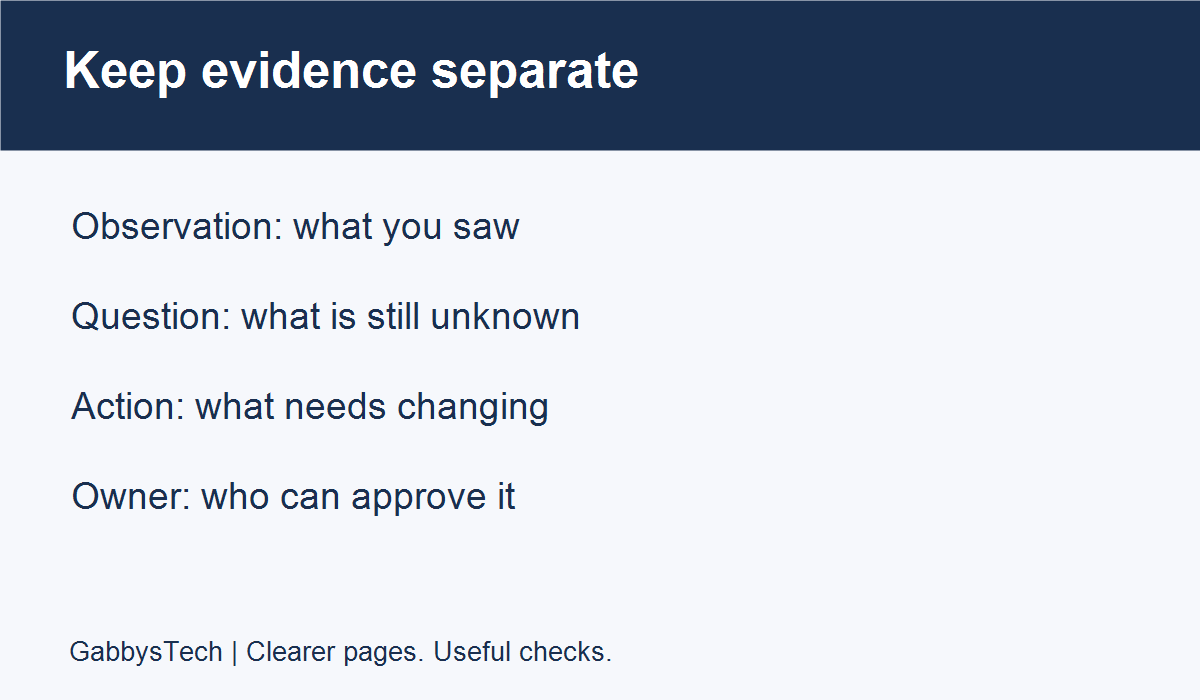
Write observations separately from explanations. “The page still lists our old contact address” is an observation you can verify with the business. “This address caused our search traffic to fall” is a causal claim that needs evidence. Do not turn the second statement into a fact simply because it appears in an audit document. Your SEO checklist should make the confirmed issue and the remaining question easy to distinguish.
2. Check whether the page answers the visitor’s question
Read the page as someone unfamiliar with your business. Can you identify what is offered, who it is for and how to ask about it? Look for unexplained terminology, missing service limits and statements that could apply to almost any company. Highlight the specific sentence that needs clarification. A useful content correction says what is unclear and what information the visitor needs instead, rather than only requesting more words.
Compare the wording with how the business currently operates. Confirm the contact methods, service locations and availability statements with the person responsible for them. Remove claims you cannot support, including invented reviews or guaranteed results. If a detail is unknown, record a question for the business owner. Do not publish a guessed answer just because a design has an empty section waiting to be filled.
Treat length as a consequence of what must be explained. A simple service may need less detail than a complex one. A longer page can be useful when it includes genuine preparation advice, scope details or answers to important questions; repeated promotional statements do not provide the same value. In your SEO checklist, name the missing information rather than setting an arbitrary demand to add a certain number of paragraphs.
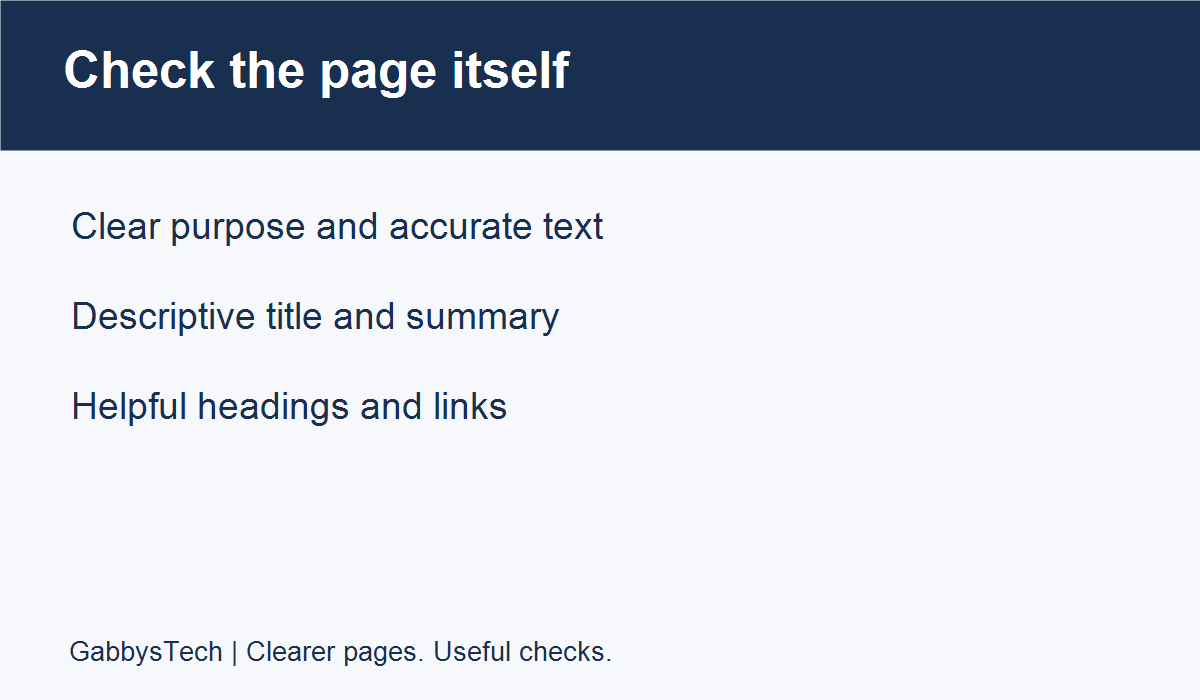
3. Review the title and the main heading
Check the title shown in the browser and the main heading visible on the page. They can be phrased differently, but they should describe the same subject. A visitor should not arrive expecting one service and find another. Note titles that are generic, outdated or difficult to distinguish from other pages. Write a proposed replacement beside the original so an approver can compare the change without relying on memory.
Google’s guidance on title links recommends descriptive, concise title text and warns against repetitive keyword use. Google can use several sources to create the displayed title link, so editing a title element does not guarantee that every search result will show that exact wording. Keep the proposed title accurate and useful without treating a preview in an SEO plugin as a promise of the final search appearance.
When a place or business name helps explain the offering, include it naturally. Do not attach a collection of city names to a page that does not explain those service areas. Avoid using a misleading superlative just to satisfy a writing tool. If two pages appear to describe exactly the same service, record that overlap for a broader content review instead of changing addresses or deleting pages during this first pass.
4. Write a summary that fits the actual content
Inspect the saved meta description if your editing tools expose it. Draft a concise summary of what the reader will learn or find on that page. A service description might identify the offering and the next step, while an article summary can explain the practical question it answers. Avoid making the description a list of loosely related search phrases. It should still be understandable when read as an ordinary sentence.
Google explains in its snippet documentation that snippets are generally created from page content and may sometimes use the meta description. Different queries can produce different snippets. For your SEO checklist, distinguish “description saved correctly” from “Google currently displays this description.” The first is a site-editing check; the second is an observation of a particular search result at a particular time.
Check that the description does not advertise something the page fails to deliver. If you mention a checklist, example or download, verify that it is actually available and working. If a proposed description reveals a gap in the page, decide whether to improve the content or narrow the description. This is a useful editorial decision, not a reason to make an unsupported promise because it sounds more attractive in a preview.
5. Review headings, images and link destinations
Scan the headings in order and ask whether they communicate the page’s structure. A heading should describe the section that follows it. Replace vague labels with specific ones when that makes navigation clearer, and avoid using every heading to repeat the same phrase. Keep the relationship between sections understandable. If your page includes a table of contents, check each entry and confirm that it leads to the intended section.
Look at images in context. Confirm that they are relevant, readable and approved for use. An image description should explain the image’s purpose rather than act as a place to hide extra keywords. Keep essential service information in readable text as well. If an image contains a checklist or a diagram, make sure a reader can understand the same main information from the surrounding content rather than relying entirely on small text inside the picture.
Follow the links a visitor is likely to use. Check that the service enquiry button goes to the correct destination and that related articles are genuinely related. Record broken destinations and confusing wording in your SEO checklist with the source page and the link text. Do not add unrelated internal links merely to increase a count. One relevant next step is more useful than a repeated row of links that does not help the current reader.
6. Separate a working page from verified indexing
Open the intended public address and confirm that the expected content appears. This is a useful visitor check, but it does not prove that Google has indexed the address. A screenshot of your page and a search-index report answer different questions. Label the evidence accordingly. If the page redirects, record the starting address and the final destination rather than assuming the redirect is either helpful or harmful without understanding its purpose.
If you have appropriate access, use Search Console’s URL Inspection tool for information about the indexed version of a URL and for a separate live test. Google documents that the live test assesses possible indexability and has limitations; it does not predict all indexing decisions. Record whether you inspected indexed data or ran a live test. Do not present a successful live test as a confirmed ranking or indexing result.
Keep this part of the SEO checklist observational unless technical changes are within your role. If a report mentions a canonical address, restriction or other unfamiliar setting, record the exact result and ask a qualified maintainer to investigate. Do not remove access protections or change global indexing settings simply to clear a warning. Private pages, account areas and development copies may deliberately have different rules from public service content.
7. Check business information and supporting evidence
Compare contact details and service descriptions across the pages included in the review. Use the business’s current approved information as your reference. If the website says enquiries are handled through a particular channel, confirm that the team still monitors it. Do not publish private customer messages as evidence that a service exists. A content review should clarify the business’s own information while preserving the privacy of people who have contacted it.
Look closely at claims involving credentials, reviews, results and guarantees. Ask who can verify a statement and whether there is permission to use any customer material. If the business has no evidence for a claim, rewrite it to describe the actual service or process. An honest explanation can be useful without inventing a number, a named customer or a result that the organisation cannot substantiate.
For local services, distinguish the real service location from areas mentioned for context. For remote work, explain how customers can begin the discussion rather than implying there is a physical office in every target city. Add disputed facts to an approval list. An SEO checklist should not encourage the person editing the website to make operational promises on behalf of a team that has not approved them.
8. Turn findings into a short action list
Group findings by what can be confirmed and who can resolve them. An outdated phone number may be a straightforward factual correction. A confusing service description needs editorial input. An unexpected indexing result may need a technical investigation. Do not give these tasks identical urgency simply because an automated report presents them in the same colour. Explain the practical reason for each recommendation and identify the person who can approve the change.
For each action, record the page, observation, proposed correction, owner and verification method. If an issue affects more than one page, note that scope rather than copying an ambiguous sentence into several tasks. Keep uncertain explanations in a separate question field. This makes your SEO checklist useful in a review meeting: the team can decide what to do next without first disentangling facts from guesses.
Start with corrections connected to an important visitor task and supported by clear evidence. Agree the order with the business or site owner instead of claiming that your preferred order guarantees the largest ranking increase. Some changes depend on content approval, developer time or access to a third-party account. Make those dependencies visible so a task is not reported as complete when only the recommendation has been written.
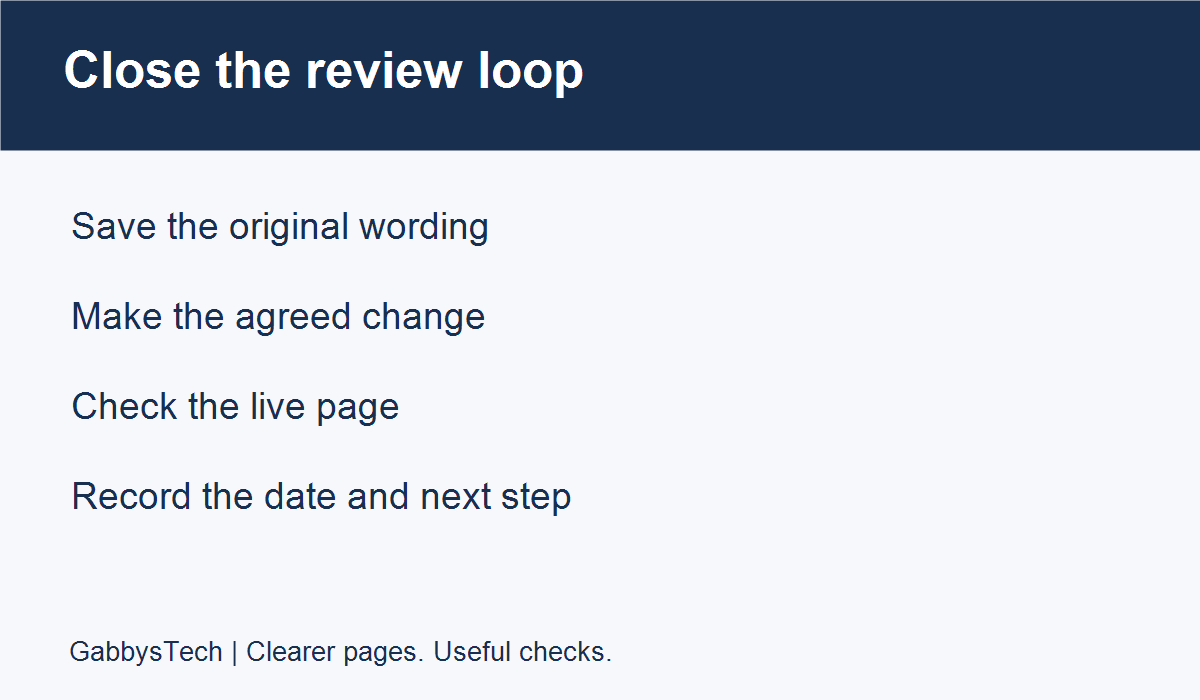
9. Verify the change and keep a dated record
Save the original wording and the approved replacement before making an edit. After saving, open the live page and check the relevant section, link or output. A change visible in the editor is not automatically proof that visitors see the same result. Note the address and the date you checked. If caching or a publishing workflow delays the change, keep the task open until the intended public result has been verified.
Use the same question for the follow-up that you used for the original review. If you corrected contact information, confirm the contact destination. If you updated a title, check the saved and rendered title rather than expecting an immediate change in every search result. If the task was a technical investigation, ask for the evidence that resolves the original uncertainty. Do not replace a specific verification step with a general claim that the score improved.
Record what remains outside the completed task. You may have fixed a page summary while a broader service rewrite still needs approval. You may have confirmed that a page loads while indexing remains unresolved. This is normal scope information, not a failure to hide. A dated SEO checklist helps the next reviewer understand what was actually checked and prevents the same unfinished question being mistaken for a new discovery every week.
A worked example of an actionable review note
This example is illustrative, not a customer case. Imagine a service page still directs visitors to an old enquiry form. The reviewer opens the page, follows the button and records the destination. The business confirms that a newer form is the correct place for enquiries. The observation is the outdated destination, the proposed action is to update the button and the approver is the person responsible for enquiry handling.
After the edit, the reviewer opens the public page again and follows the same button. They confirm the correct destination and ask the responsible team to verify the agreed enquiry-handling test. The note records what was checked and when. It does not claim that the new link caused more search traffic, improved a ranking or increased sales, because none of those outcomes was established by this particular test.
The same format works for content tasks. If a paragraph describes a service the business no longer offers, save the old wording, obtain an approved replacement and check the live result. Keep a separate question about what should happen to related pages. Your SEO checklist becomes a series of understandable decisions rather than a collection of dramatic warnings that no one can confidently act on.
A copyable SEO checklist worksheet
Create a simple review document with the following fields. Use one row per finding, not one row per warning generated by a tool. The aim is to make a decision traceable from observation through approval to verification. Keep sensitive account information out of the document, especially if it may be shared with several reviewers.
- Page and date: the public address and when it was reviewed.
- Visitor task: the question or action the page should support.
- Observation: exactly what you saw, with the relevant wording or destination.
- Question: anything that still needs investigation or business confirmation.
- Proposed action: the specific correction and its intended purpose.
- Owner and approver: who can perform and authorise the work.
- Verification: the check that will demonstrate the intended result.
- Outcome: date checked, confirmed result and remaining follow-up.
Common questions about a first SEO review
Does a high plugin score prove the page will rank? No. A score measures that tool’s checks, not a search engine’s full decision process. Use it to identify content or metadata items worth reviewing, then judge the proposed changes against the page’s real purpose. Keep claims about ranking separate from the checks you can actually verify on your website.
Should every warning be fixed immediately? First establish what it means, whether it applies to the intended page and who is responsible for it. Some findings are informational or need investigation. A useful SEO checklist records that distinction. Do not change a privacy, account or development-page setting just to make a generic report look cleaner.
How often should I repeat the review? Choose a review rhythm that fits your content changes and available resources. Recheck after relevant updates and when the business changes its service information. Keep dated notes so you can compare the same page over time. Avoid interpreting one short-term change in a number as a complete explanation of website performance.
What should I prepare before asking for help? Share the public website address, important services, target audience and a short description of your concern. Include the observation you are unsure about, without sending passwords or private reports through a public enquiry. This gives an SEO provider a useful starting point for discussing the scope of a review.
Get help prioritising your website review
GabbysTech’s SEO services can include technical reviews, page improvements, content planning and measurement, with the scope discussed for your website. Bring the pages you want to prioritise and the questions your SEO checklist has raised. Recommendations should distinguish implementation work from items that require a separate decision or another person’s access.
If your review reveals that the site needs a broader restructure, the website brief planning guide can help organise that discussion. To ask about an SEO review, contact GabbysTech with your website address and main concern. You can start with a focused question; you do not need a finished technical audit before asking for guidance.